Custom Views for Admin Asset Table (with rearchitected pages)
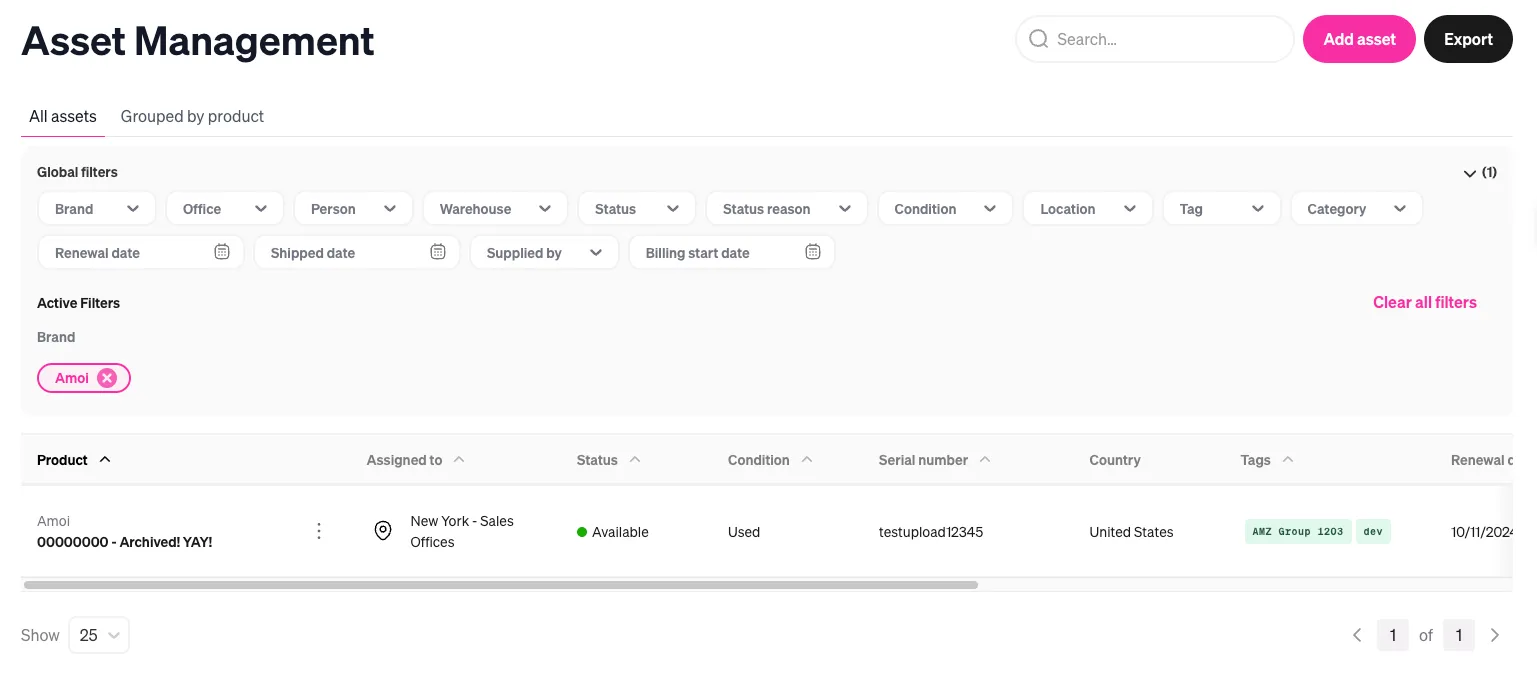 (before)
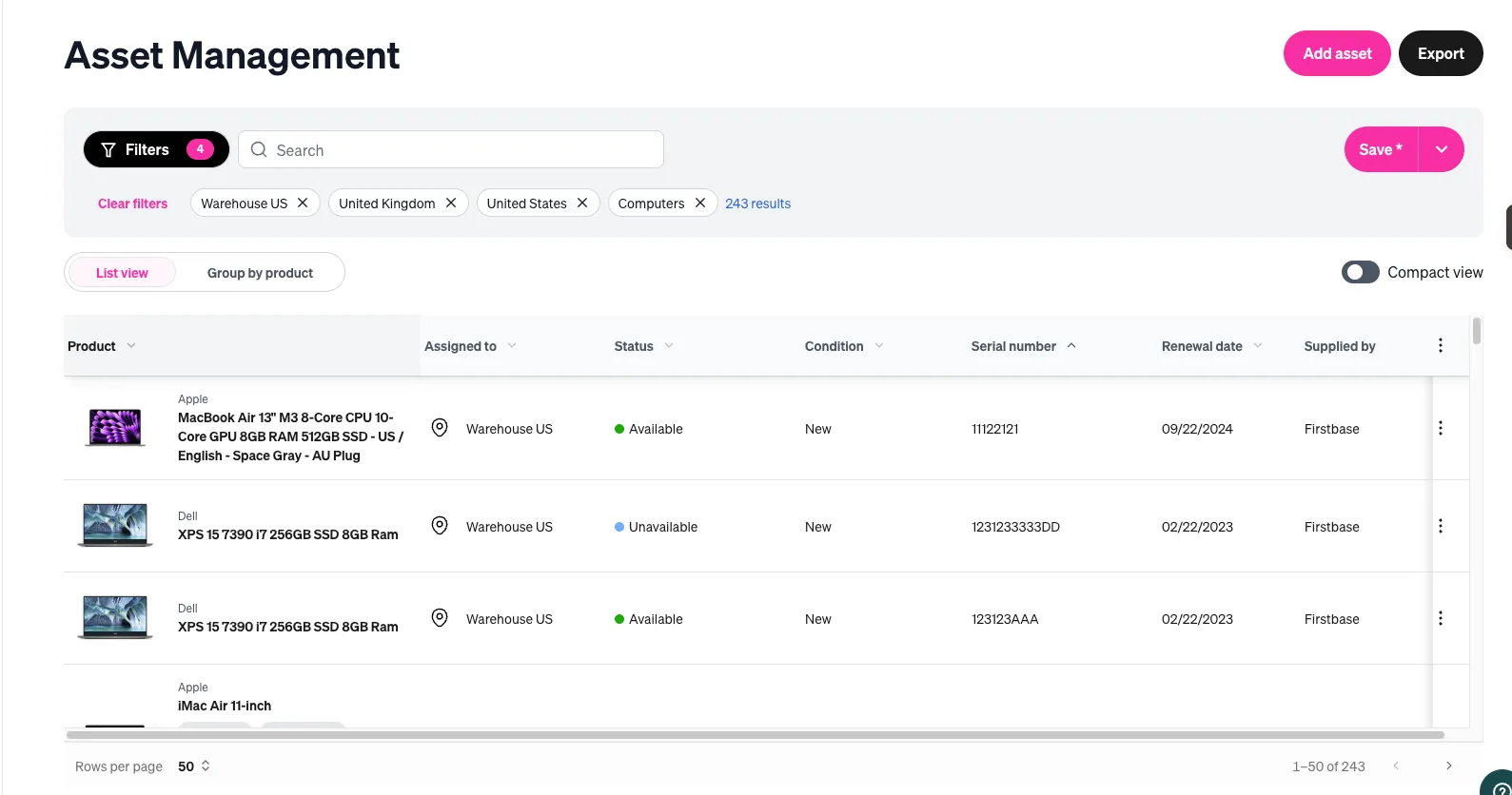 (after)
Overview
Build customizable views with a twist – modern tables, new filter drawer, new state management patterns, new design system – so that admins can manage their 100s or 1,000s of assets more efficiently and personally. The secondary deliverable here was a complete rearchitecture of our pages internally, as well; the goal was to build something scalable that other devs can easily reuse to build the fleet of pages for version 2.0 of the platform.
Snapshot for project
- Role: Lead FE
- Team: Myself, staff backend engineer, designer and product director
- Stack: TypeScript, React, Tailwind, Shadcn
- Scope: Full-stack coordination
Context
Post acquisition, we had breathing room to address major customer frustration in Asset Management (tables, exports, filtering, inventory reassignment).
Here are the two main problems we wanted to tacke:
- The core/business issue - We lacked personalization when it came to allowing our admins to configure (and save) their views. They all got the standard and plain view, which contained data that was irrelevant to them.
- Rearchitect our pages - We needed to establish new patterns within the codebase that would be reused for every other new (and existing) view that we planned on rolling out. Thus, it was important to get this right, since this would be the new standard upon which ALL of our pages were built.
Constraints and Tradeoffs
Trade-offs
- Scalability first: We invested a couple of extra sprints to lay foundation work, since this would be the first of many views adopting the new architecture (technical + visual).
- Limited integration tests: I prioritized unit tests and E2E coverage. Some integration scenarios (e.g., many table states like empty/partial data) were awkward to validate cleanly at the integration layer given the view’s state permutations.
Our Approach
Phases
- Pre-work: Audit what to rebuild for the new design system vs. reuse from existing UI.
- Phase 1 — Building blocks: Ship core components: filter drawer, date selectors, combobox, and new table foundations.
- Phase 2 — Rebuild the view: Recreate the existing experience with the new components (no personalization yet), keeping state management intentionally simple.
- Phase 3 — Reusable state management: Introduce a reusable Zustand store to support scalable, testable personalization.
Testing Strategy
- Unit tests: Complex utilities + reusable components/blocks.
- Smoke: Page load + core navigation and happy paths.
- E2E: Test flows where we make money (i.e. reassignment, etc.)
Given time constraints and the investment in platform building blocks, I focused on testing the store logic, key utilities, and E2E stability.
Rollout
- Feature-flagged rollout to top customers waiting on the feature.
- Iterate quickly from early feedback.
- Expand to all customers once stable.
Implementation Highlights
- Design system progress: Established the new component set and patterns that became the standard for subsequent views.
- Dependable state management: Implemented a new Zustand store pattern optimized for testability of state transitions/actions.
- Modern foundation: Built on shadcn/ui, react-table (headless primitives), and Zustand to set a scalable direction.
Artifacts
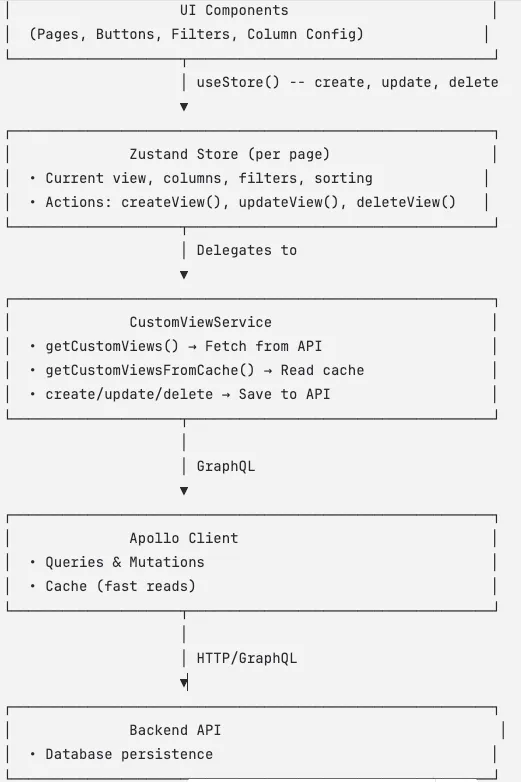
(after)
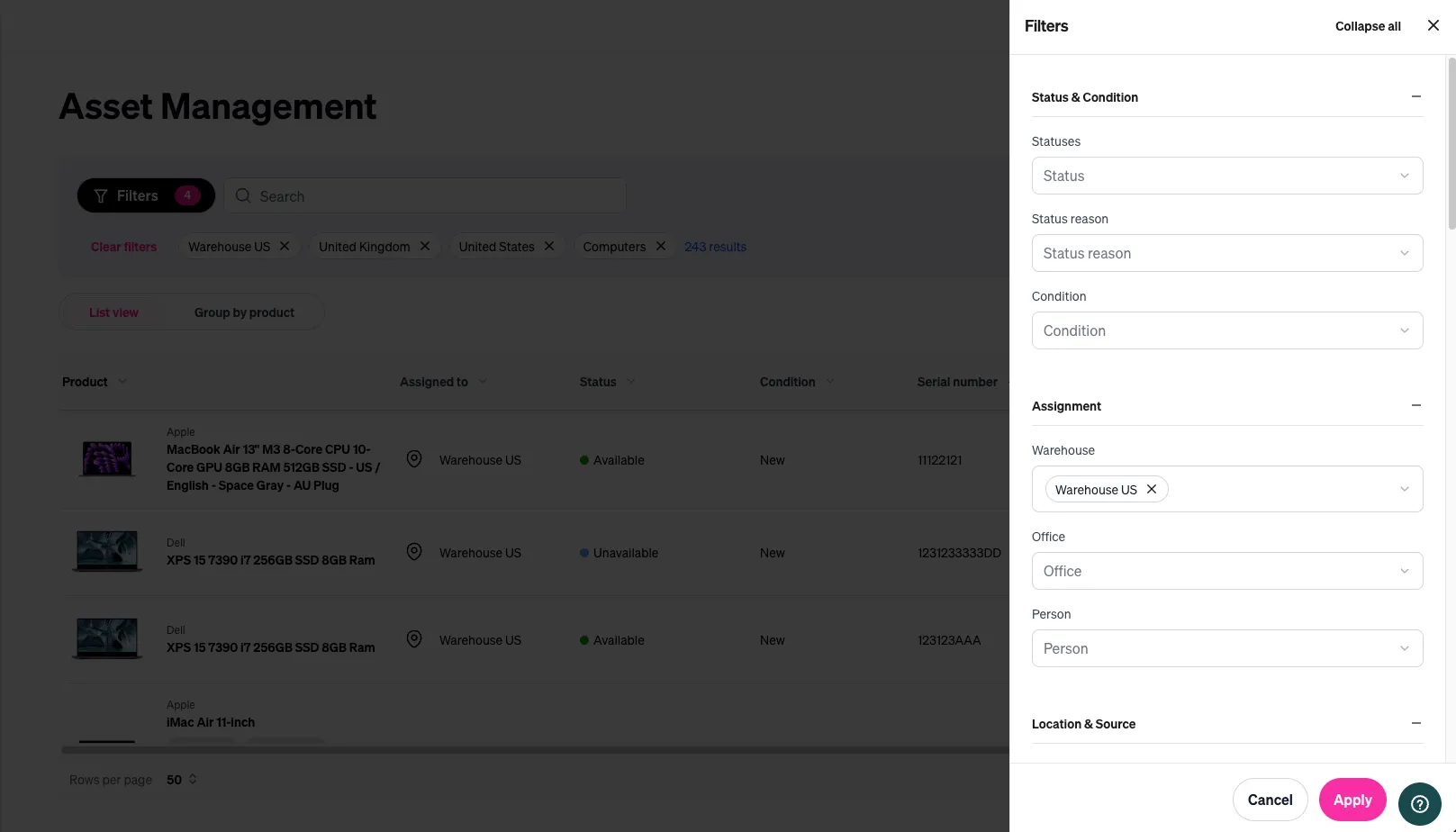
(after)